

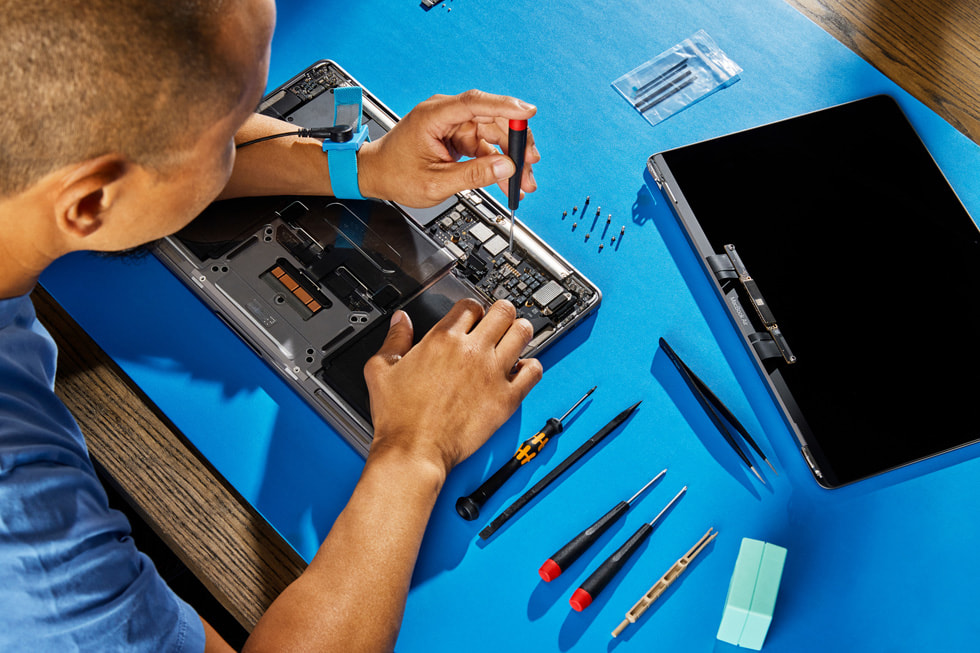
Experiencing a MacBook that won’t turn on can be stressful, especially if you rely on it for work, school, or personal projects. If your screen remains black, the fans don’t start, or you hear no startup chime, it could be a serious issue. Understanding whether the problem is hardware or software related can help you troubleshoot effectively and decide if professional help is needed.
In this article, we explore the most common reasons for macbook 無法開機 and how to identify whether it’s hardware or software causing the issue.
Hardware Issues That Prevent a MacBook from Turning On
1. Battery and Power Supply Problems
One of the most common hardware causes is a drained battery or faulty charger. If your MacBook isn’t receiving power, it simply won’t boot. Always start by:
- Checking your charger and power adapter.
- Ensuring the outlet works.
- Inspecting cables for damage or frays.
Older MacBooks with MagSafe chargers also show a small LED light that indicates charging. If the light doesn’t turn on, the issue is often related to the power source. Hardware failure in the battery or charging circuit may require professional repair.
2. Faulty Logic Board or Internal Components
The logic board (motherboard) controls all operations in your MacBook. Damage to the logic board, short-circuits, or component failure can cause your device to remain completely unresponsive. Signs include:
- No lights, no sound, no fan activity.
- Unusual heat around the keyboard or base.
- Failure to charge even with a working adapter.
These problems require technical expertise to diagnose and repair, making professional service essential.
3. Damaged Screen or Display Components
Sometimes your MacBook may actually be on, but the screen remains black. If you hear startup sounds or fan activity but see nothing on the display, the issue may be:
- A damaged display or backlight.
- Loose or damaged display connectors.
- Faulty GPU or video circuits.
Connecting an external monitor can help determine whether the issue is the screen or deeper hardware.
Software Issues That Prevent a MacBook from Starting
1. macOS Corruption or Failed Updates
If your MacBook begins to boot but freezes on the Apple logo or a spinning wheel, it may indicate software problems. Corrupted system files or incomplete macOS updates can prevent startup.
- Boot into Recovery Mode (Command + R) to attempt repairs.
- Use Disk Utility to check the startup disk for errors.
- Reinstall macOS if necessary.
2. NVRAM/PRAM or SMC Glitches
The NVRAM/PRAM stores system settings like display resolution, startup disk selection, and sound volume. When these settings become corrupted, your MacBook may not boot properly. Resetting NVRAM often fixes the problem.
The SMC (System Management Controller) controls power, battery, and thermal management. If your MacBook fails to turn on, an SMC reset may resolve power and charging issues.
How to Identify the Cause: Hardware or Software?
Here’s a simple diagnostic approach:
- Check for Power: Plug in a working charger and see if any indicator lights appear. No lights often indicate a hardware problem.
- Listen for Sounds: Fans or startup chimes suggest the MacBook is receiving power and the issue is likely software-related.
- External Monitor Test: A working external display points to a problem with the built-in screen.
- Boot into Safe Mode or Recovery: If the MacBook can enter Safe Mode or Recovery Mode, software is likely the culprit.
When Professional Repair Is Needed
If your MacBook fails to respond after basic troubleshooting, hardware failure may be the cause. Attempting DIY repair on internal components like the logic board or battery can worsen the problem. Visiting a certified technician ensures:
- Accurate diagnosis of macbook 無法開機 issues.
- Safe replacement of damaged components with genuine parts.
- Prevention of further damage to sensitive electronics.
Preventive Tips
- Keep macOS updated regularly.
- Avoid sudden power interruptions.
- Use protective cases to prevent physical damage.
- Schedule periodic maintenance at a trusted service center.
Conclusion
Understanding whether your MacBook’s startup problem is hardware or software related helps you act quickly and effectively. From battery and logic board issues to software corruption, each cause has a specific solution. If simple troubleshooting doesn’t work, always seek professional repair to fix macbook 無法開機 safely and efficiently.